Global Map Keyboard Shortcuts
| W,A,S,D/arrow keys | Move the camera |
| Mouse Wheel Up/Page Up/+ | Zoom in |
| Mouse Wheel Down/Page Down/- | Zoom out |
| Shift/Return | Center map at and zoom in on Battle Brothers unit |
| Spacebar | Pause/Unpause game |
| F5 | Quick Save |
| F9 | Quick Load |
| Esc | Open game menus/exit menus/close open city/shop/inventory window |
| F | Toggle Tracking Footprints |
| T | Make/Break camp |
| R | Open/Close the Factions & Relations window |
| C/I | Open/Close the Inventory window |
| Alt+F4 | Quit game without saving (For "ironman" mode) |
| Ctrl+Click on a neutral party | Attack neutral parties like mercenaries佣兵, caravans, peasants农民, etc. (Requires you to not have an active contract) |
Tactical Map Keyboard Shortcuts
| W,A,S,D/arrow keys | Move the camera |
| Spacebar/End | Wait Turn: Active character's turn is pushed to the end of the queue. If Wait Turn isn't possible, ends turn for the unit. (Hint: Waiting this turn will also make the character act later next round.) |
| Enter/F | End Turn: End the active character's turn and have the next character in line act. |
| R | End Round: End the current round and have all your men skip their turn until the next round starts. |
| 1-9 | Activate/Deactivate the current unit's respective skills |
| Alt | Show/Hide Hitpoint Bars: Toggle between showing and hiding armor and hitpoint bars, as well as status effect icons, ontop every visible character. |
| Shift | Center the camera on the currently acting character |
| Mouse Wheel Up/Page Up | Zoom in |
| Mouse Wheel Down/Page Down | Zoom out |
| + | Raise camera level: Raise camera level to see the more elevated parts of the map. |
| - | Lower camera level: Lower camera level and hide elevated parts of the map. |
| C/I | On your character's turn, it allows you to open the currently acting character's inventory to switch equipped gear and access weapons on the current tile's ground; and inspect your other characters |
| B | Show/Hide Highlights for Blocked Tiles: Toggle between showing and hiding red overlays that indicate tiles blocked with environmental objects (such as trees) that characters can not move onto. |
| T | Show/Hide Trees: Toggle between showing and hiding trees and other large objects on the map. |
Inventory Keyboard Shortcuts
| Esc/C/I | Close inventory screen |
| Hold Alt and click an item |
Repair item in inventory at a Weaponsmith武器匠 or Armorer制甲师 |
| Tab/D | Select the next character in line |
| A | Select the previous character in line |
| Drag & Drop a Character Icon into a Formation Slot | The selected character will start battles in this position of the formation. If the slot was occupied, the characters will swap places with one another |
| Drag & Drop a Character Icon into a Reserve Slot | The selected character will not take part in battles. If the slot was occupied, the characters will swap places with one another |
Visual Map
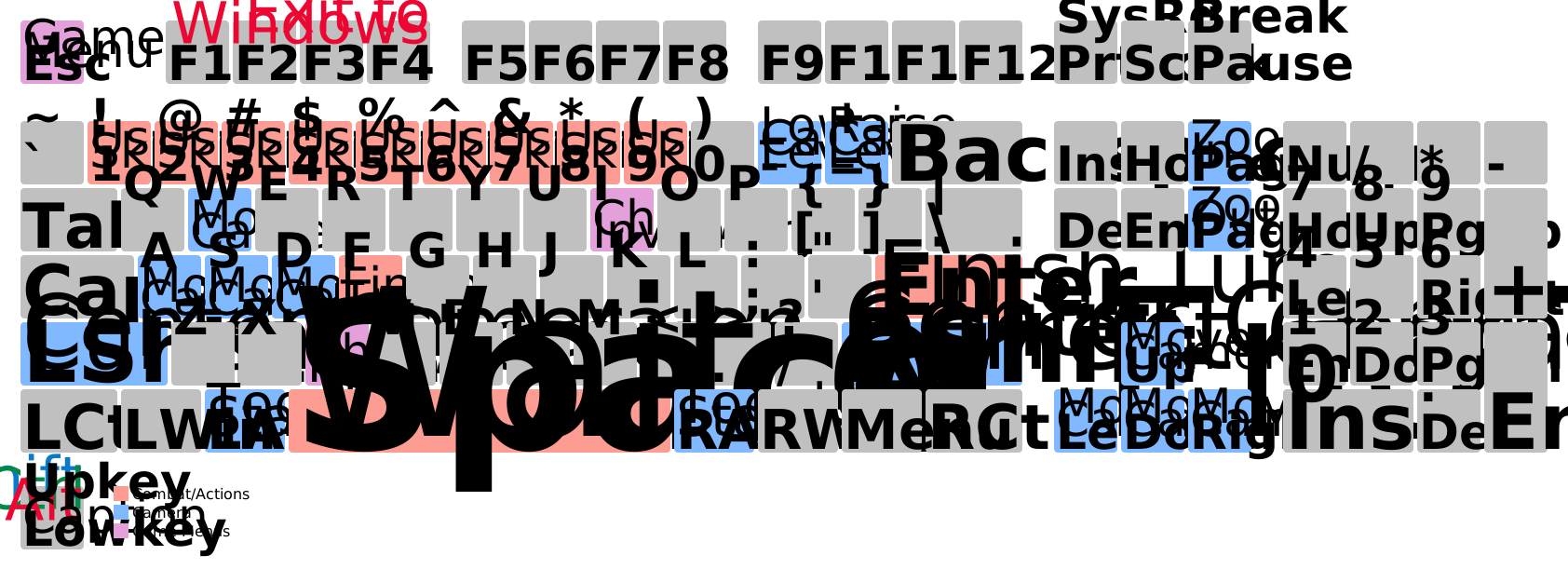

Visual map of Battle Brothers战场兄弟 controls.